FINCTA · PRACTICAL GUIDE
How to import clients from Excel into Fincta
A practical guide to moving your contact list into an estate agency CRM, without confusing a contact import with a complete database migration.
Reviewed: 23/09/2026 · Fincta
What can you import today?
Fincta's client importer reads CSV files, not Excel workbooks directly. It maps five fields: first name, surname, phone, email and nationality. First name and surname are combined in the client record. Each accepted row needs a name.
1. Prepare a small test file
Make a copy of your spreadsheet. Keep one contact per row and a header row. Remove duplicate contacts in the source first: the importer does not promise automatic deduplication. Keep phone numbers as text so Excel does not remove the + sign or leading zeros.
Use these example headers. The row below is fictional; do not leave it in a real import.
first name,surname,phone,email,nationality
Ana,Beltran,,ana@example.test,Spain
2. Export to CSV
In Excel, save a copy as CSV UTF-8. In Google Sheets, download the active sheet as CSV. Export only the contact sheet, not a whole multi-sheet workbook. Avoid line breaks inside cells; the current importer processes the file line by line.
3. Review the preview in Fincta
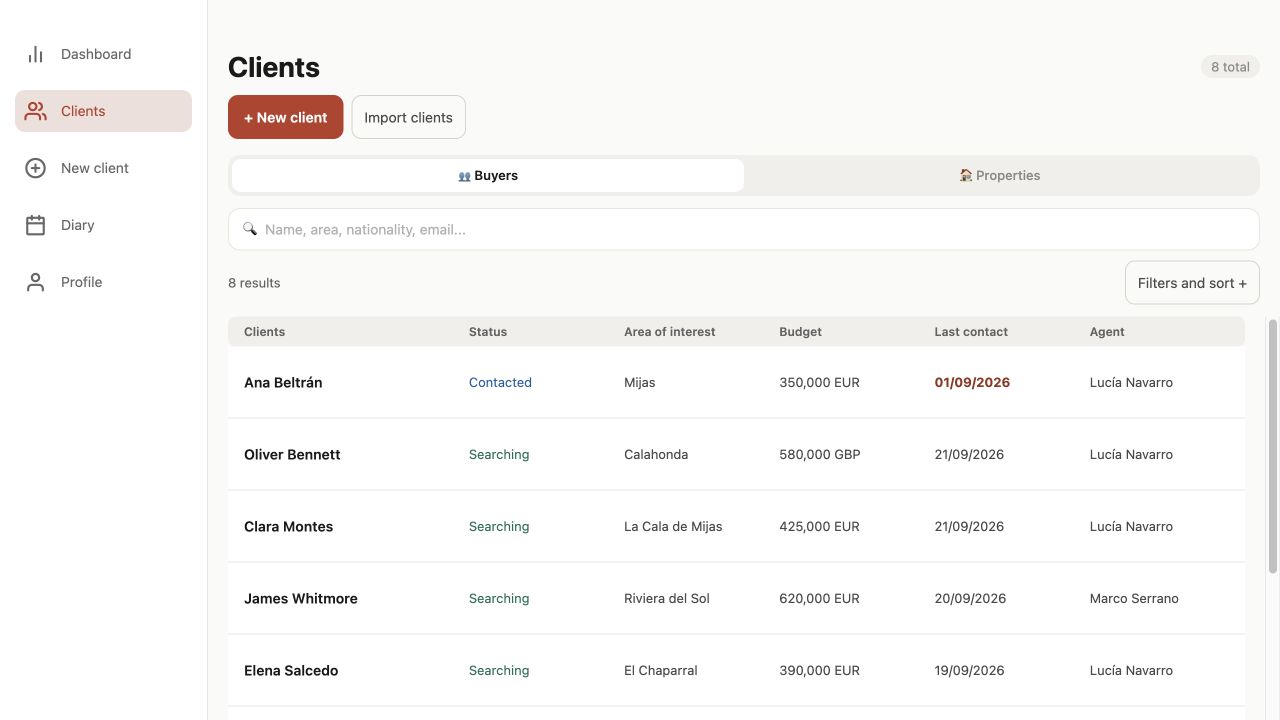
From Clients, open Import clients and select the CSV. Review the detected columns and the preview, which shows the first five contacts. Start with two or three records rather than your whole database.
4. Check the result before importing the rest
Imported clients are assigned to the user doing the import. Their initial status is Contacted, and the last-contact value is set to the import time. Importing is not evidence that you actually spoke to them that day. Add the real context to each record and organise assignments afterwards with the appropriate agency role.
The result distinguishes successful and failed rows. If part of a batch fails, do not blindly upload the whole file again: that can duplicate clients already saved. Compare the result with the client list first.
Before moving your entire portfolio
- Keep the original export and a list of fields not migrated.
- Check a name with an accent, an international phone number and a blank optional field.
- Confirm the correct agency and importing user.
- After your small test, exclude those records from the remaining import.
Fincta helps move the contact basics into the CRM. It is not a one-click migration of every field from another platform.